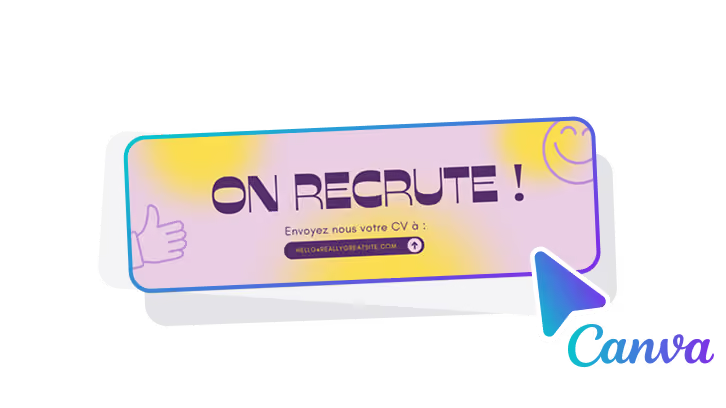
The email signature banner, also called signature banner, is a visual space located at the bottom of your email signature. It allows you to add a graphic element that is often used for marketing purposes, to promote offers, events or to reinforce the brand image. This advertising format is non-intrusive and visible in every email sent, making it a powerful communication tool.
Why use email signature banners?
The use of banners in email signatures has several advantages:
- Permanent visibility: Unlike traditional banners on websites, a banner in the email signature directly affects your contacts at each exchange, ensuring continuous visibility.
- Targeted communication: Banners allow you to segment your messages according to the recipients. For example, you can create different banners for your customers, prospects, or partners.
- Facilitate conversions: A well-designed banner with a clear CTA (event registration, white paper download, special offer) can significantly improve your conversion rates.
- Customization: Banners can be adapted for each company department (marketing, support, sales), in order to broadcast consistent and targeted messages according to the objectives of each department.
How to create effective campaigns with email signature banners?
Email signature banners are ideal for creating a variety of marketing campaigns. Here are some ideas for effective campaigns:
- Seasonal promotions: During periods such as Christmas or sales, integrate a banner with a promotional message encouraging your contacts to take advantage of a limited offer.
- Product launch: Announce the release of a new product or service directly in your email signature. The link can lead to a presentation page or a demo.
- Events and webinars: Let your contacts know about an upcoming event and include a button so they can easily register in one click.
- Downloadable content: Highlight a white paper, guide, or case study to generate qualified leads. Use a CTA that encourages recipients to download it.
Best practices for a successful email signature banner
To maximize the impact of your email signature banners, here are some best practices to follow:
- Clarity of the message: Your headband should be simple and clear. The text should be concise with a direct message. Avoid overly complex information or long sentences.
- Use of brand colors: Respect your brand guidelines to ensure visual coherence between your signature and the other elements of your company's communication.
- An obvious CTA: The call to action button should be visible and encourage immediate action (e.g. “Discover the offer”, “Register”, “Download now”).
- Optimization for mobile: As many emails are opened on smartphones, make sure that the banner is legible on small screens, by adapting its size and design.
- Performance monitoring: Add tracked links (UTM) in your banners to measure their impact via Google Analytics or another tool. This will let you know what type of headband converts best.
Mistakes to avoid in your email signature banners
Even if the email signature banner is a powerful tool, some errors can reduce its effectiveness:
- Visual overload: A banner that is too full of text or images can distract or discourage the reader. Keep the design clean and easy to understand in seconds.
- Lack of consistency: If the banner is not in line with the rest of your visual communication (logos, colors, typography), it can damage your brand image.
- CTA not very visible: If the action button is too small or placed incorrectly, it may not attract attention. Make sure your CTA is visible and engaging enough.
Conclusion: Integrate signature banners for effective communication
Email signature banners are strategic tools to optimize your company's communication. They allow you to reach a targeted audience, to broadcast your marketing messages discreetly but repeatedly, and to improve your conversions through well-designed campaigns. By following best practices and measuring their performance, your signature banners p